How to Craft TNT in Minecraft: Step-by-Step (With Pictures)
Minecraft TNT is a destructive block in Minecraft to destroy the environment around it in a controlled explosion.
It can be used for excavating several blocks at a time, terrain demolition, and fun traps for Mobs and/or Players.
To Craft TNT in Minecraft: Open your 3×3 crafting table. In the First Row, Place 1 Gun Powder, 1 Sand Box, and 1 Gun Powder. In the Second Row, Place 1 Sand, 1 Gun Powder, and 1 Sand Box. In the Third Row, Place 1 Gun Powder, 1 Sand Box, and 1 Gun Powder. You have successfully crafted TNT.
In this tutorial, I will show you how to make a Minecraft TNT with step-by-step instructions.
Materials to make TNT
In Minecraft, you need a few items to craft TNT:
- Crafting Table
- 5 Gunpowder
- 4 Sand or
- 4 Red Sand
How to craft TNT in Minecraft
There are two methods to craft TNT: 1) You need 5 gunpowder and 4 red sand blocks or 2) 5 gunpowder and 4 sand blocks.
We will discuss both in detail below.
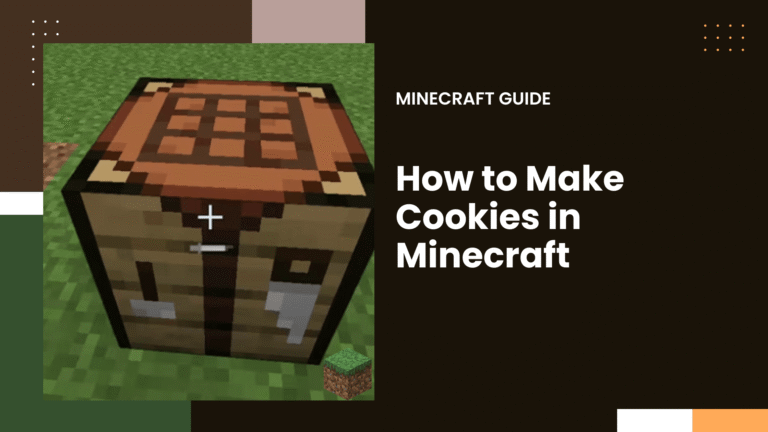
Step 1: Open your 3×3 Crafting Table

First of all, Open the crafting table that has a 3×3 grid with 9 boxes.
Step 2: Add Items to the Table
As mentioned above, there are two methods to craft the TNT with specific items in the boxes.
Pattern 1: 5 gunpowder and 4 Sand

- In the First Row, Place 1 Gun Powder in the First Box, 1 Sand Box in the Second Box, and 1 Gun Powder in the Third Box.
- In the Second Row, Place 1 Sand in the First Box, 1 Gun Powder in the Second Box, and 1 Sand Box in the Third Box.
- In the Third Row, Place 1 Gun Powder in the First Box, 1 Sand Box in the Second Box, and 1 Gun Powder in the Third Box.
Pattern 2: 5 gunpowder and 4 Red Sand

- In the First Row, Place 1 Gun Powder in the First Box, 1 Red Sand Box in the Second Box, and 1 Gun Powder in the Third Box.
- In the Second Row, Place 1 Red Sand in the First Box, 1 Gun Powder in the Second Box, and 1 Red Sand Box in the Third Box.
- In the Third Row, Place 1 Gun Powder in the First Box, 1 Red Sand Box in the Second Box, and 1 Gun Powder in the Third Box.
Fill the crafting area with the ingredients in the correct pattern and the TNT will be crafted in the results box on the right.
Step 3: Drag the TNT to the Inventory
Simply drag and drop the TNT down to your inventory for later use.
Minecraft TNT Command
Use the Command to make TNT blocks in Minecraft for the following editions:
- Nintendo Switch – /give @p tnt 1 0
- Windows 10 Edition – /give @p tnt 1 0
- Education Edition – /give @p tnt 1 0
- Java Edition – /give @p tnt 1
- Pocket Edition – /give @p tnt 1 0
- Xbox One – /give @p tnt 1 0
- Nintendo Switch – /give @p tnt 1 0
- Windows 10 Edition – /give @p tnt 1 0
- Education Edition – /give @p tnt 1 0
To run the TNT command in Minecraft:
- Open chat window
- Enter the command
- Press “Enter”
How to get Sand for Minecraft TNT?
Sand is a main ingredient of the TNT and it spawns naturally in forests, plains, tundra, and swamps four-block-deep layers in various parts of most biomes.
You just need to dig it up.
Step 1: Find a Block of Sand
Search and locate a block of sand to dig up.
Step 2: Hold the Shovel
To use a shovel in Minecraft, Left-click with your shovel in your hand.
Dig up sand with a shovel.
Step 3: Dig up the Sand
To Mine the Sand on different versions of Minecraft:
- Java Edition (PC/Mac), Windows 10, Education Edition: Left click and hold on the block of sand.
- Pocket Edition (PE): Tap and hold on to the block of sand.
- Xbox 360 and Xbox One: Press and hold the RT button on the Xbox controller.
- PS3 and PS4: Press and hold the R2 button on the PS controller.
- Nintendo Switch, Wii U: Press and hold the ZR button on the gamepad.
Step 4: Drop the Sand into the Inventory
Pick up the sand and drag and drop it into the inventory.
How to get GunPowder for Minecraft TNT?
- Killing Creepers to gather Gunpowder
- Killing Ghasts and looting Ghasts can drop increases up to five.
- Killing Witches will drop up to six pieces of gunpowder when you kill them.
- Trading with Wandering Traders
- Build a Gunpowder Farm
How to get Minecraft Red Sand for TNT?
Getting Red Sand is quite similar to regular sand.
First, Find Red sand in your Minecraft world and hold up your shovel to start digging.
Continue digging until the block breaks and pick up before it disappears. They will appear in your Hotbar.
How to Blow up a Minecraft TNT Block
There are many methods to detonate a TNT. In this example, we will show you to detonate using a Redstone Circuit.
- Place the TNT on the ground.
- Cover some distance and Make a switch mechanism.
- Create a basic redstone circuit.
- Place the TNT at the end of the redstone circuit.
- Activate your circuit with flint and Steel/ Lighter
- After 4 seconds, the TNT will explode.
TNT in Minecraft is a useful resource for battlefields as mines or traps. You can also get TNT in chests from shipwrecks and buried treasures which usually are 1-2 TNT blocks per chest.
Also Read: How High Can Rabbits Jump in Minecraft: Increase Jump Effect